The customer area is a portal where you can manage all your services (hosting accounts, email), pay bills and get help with technical issues.
To access TurboHost's customer area, follow these steps:
Go to https://turbohost.co.mz/ and click on login. A screen will appear asking you to enter your authentication details.
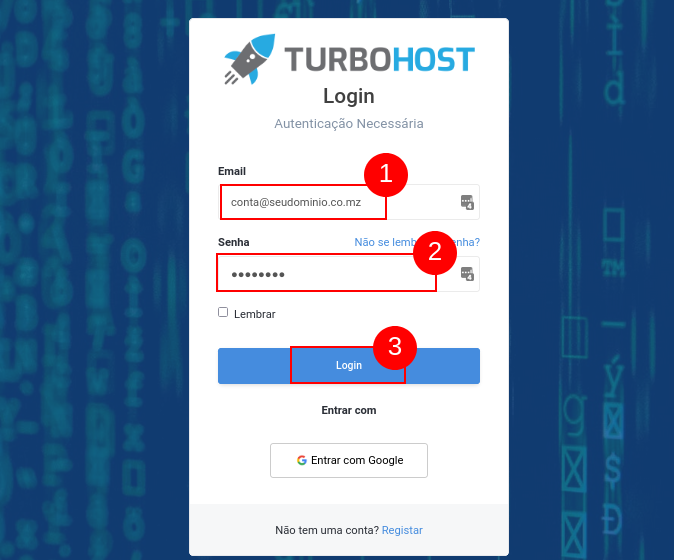
Enter your email address and password.
Finally click on Login.
 Worldwide (English)
 Mozambique (Portuguese)