In this tutorial, you will learn how to change the PHP version, enable/disable extensions, and modify limits and parameters such as upload_max_filesize, memory_limit, and max_execution_time directly in the DirectAdmin panel.
1. Access the PHP Version Selector
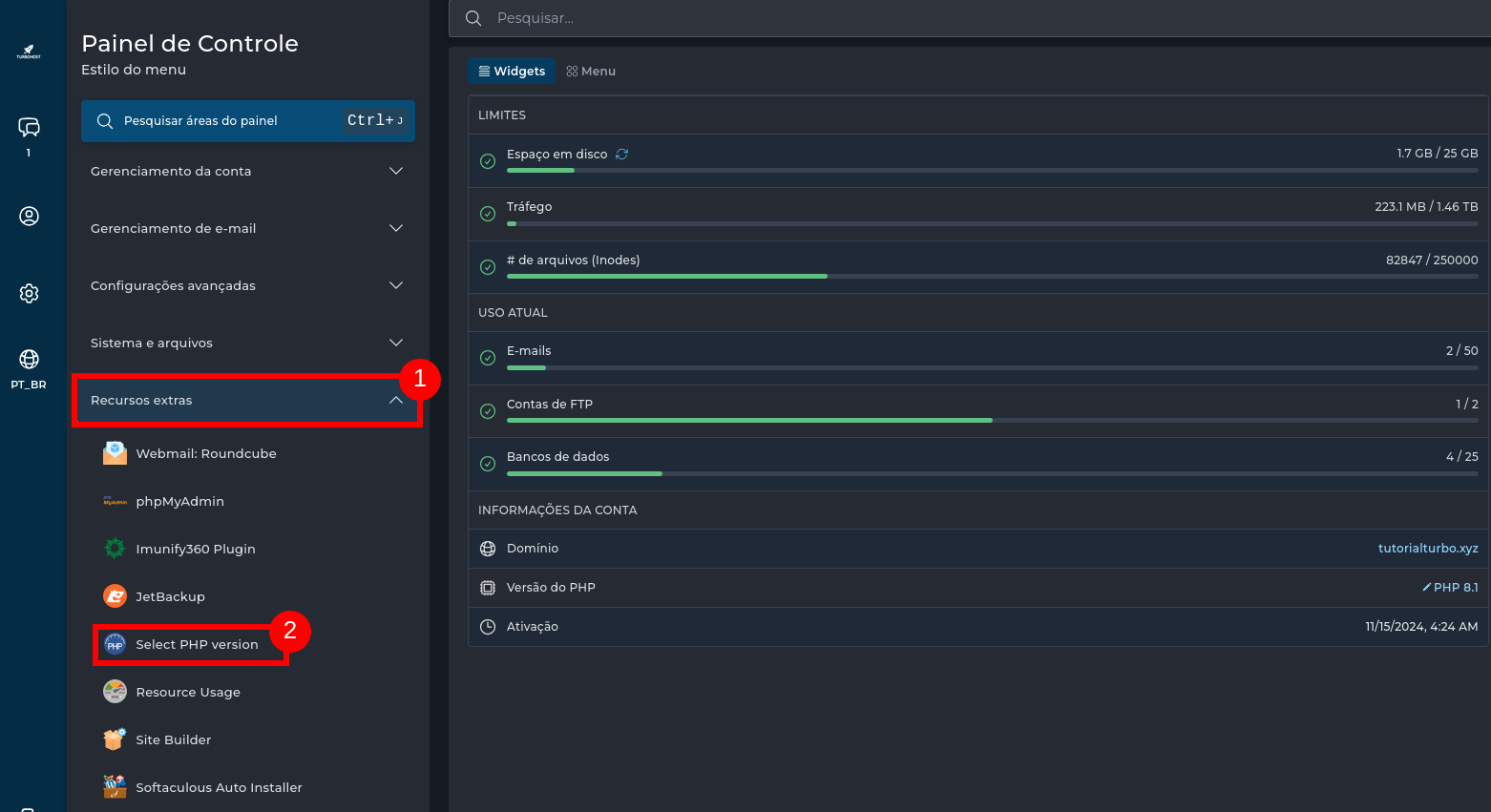
In the side menu, click Extra Features.
Select Select PHP Version.
2. Change PHP Version and Manage Extensions
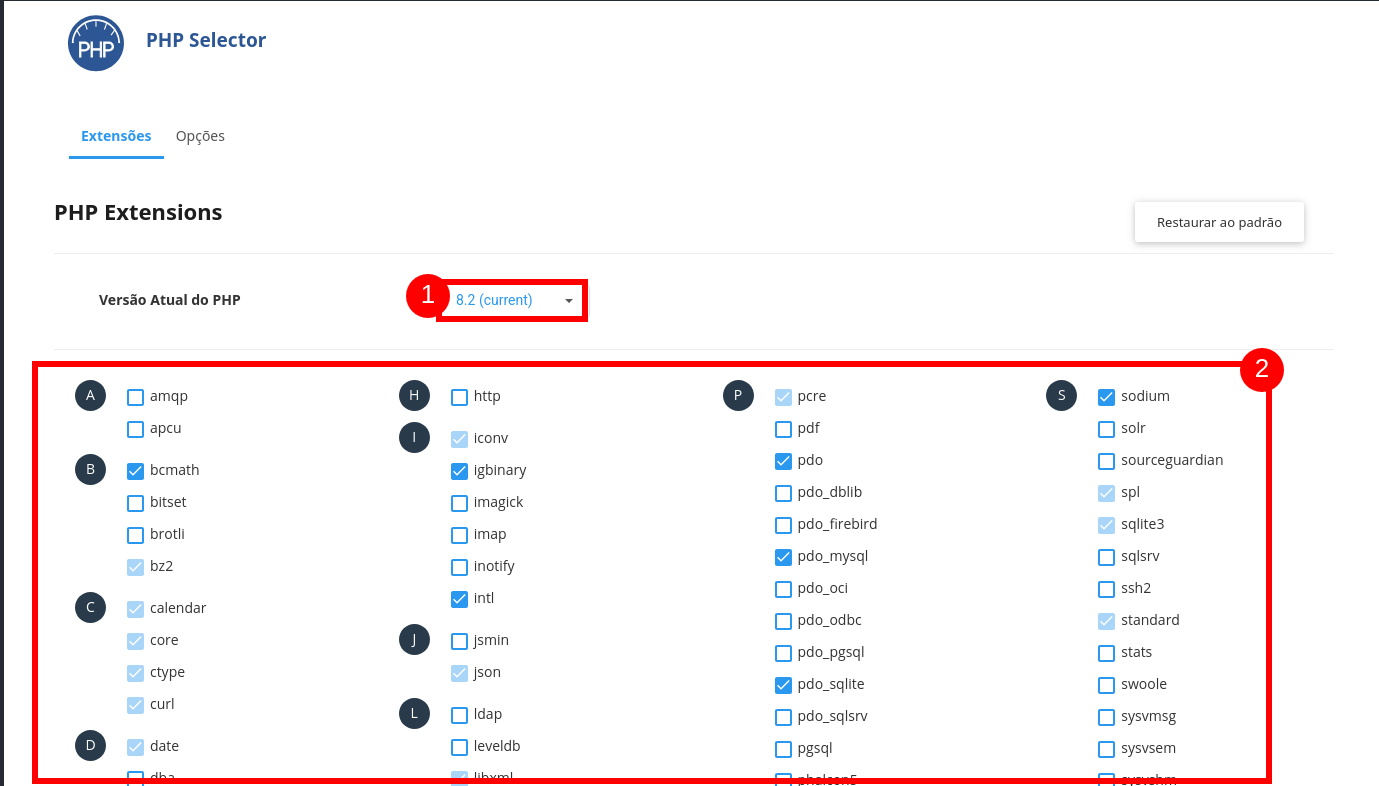
In the Current PHP Version field, select the desired version (e.g., 8.2, 8.1, 7.4).
Check or uncheck the extensions you want to enable/disable.
Changes are applied automatically.
3. Adjust PHP Limits and Settings
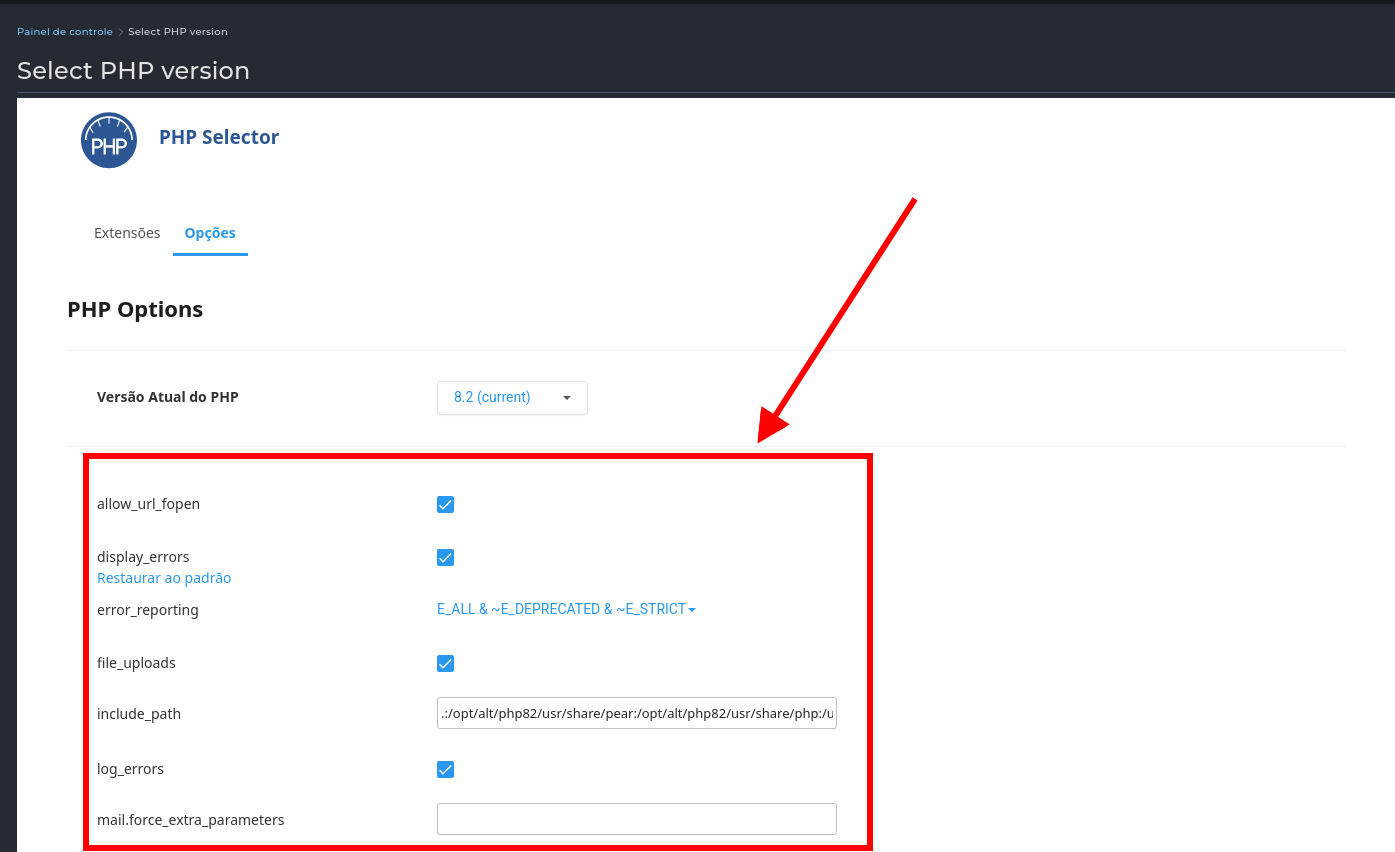
Click on the Options tab.
Change values such as:
Check/uncheck additional parameters such as allow_url_fopen or display_errors.
Important Tips:
If unsure which version to use, choose the latest stable version recommended by Turbohost.
Enable only the necessary extensions to avoid excessive resource usage.
Avoid setting unnecessarily high values, as it may affect performance and security.

 Worldwide (English)
 Mozambique (Portuguese)