If you have lost or forgotten your customer area password, don't despair, as you can request a new one.
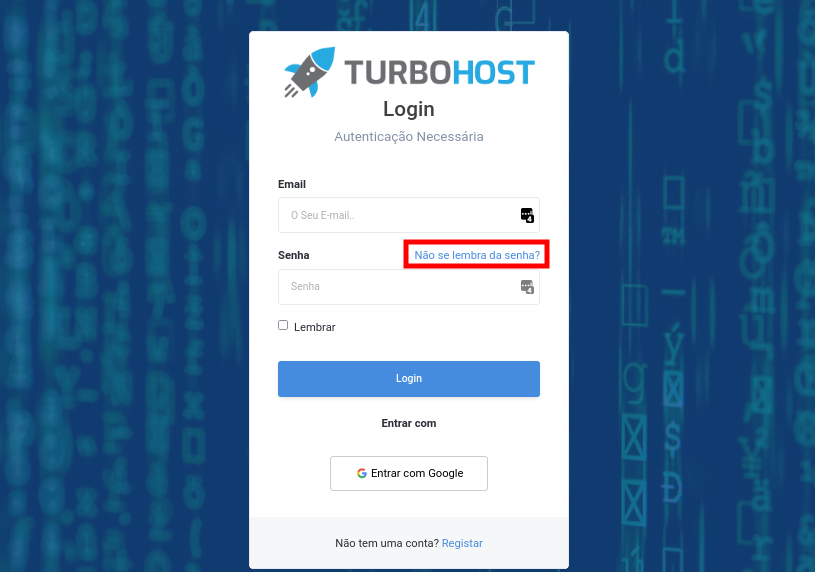
Open your browser and type in https://painel.turbohost.co.mz/login to access the customer area login screen.
Then click on Can't remember your password?
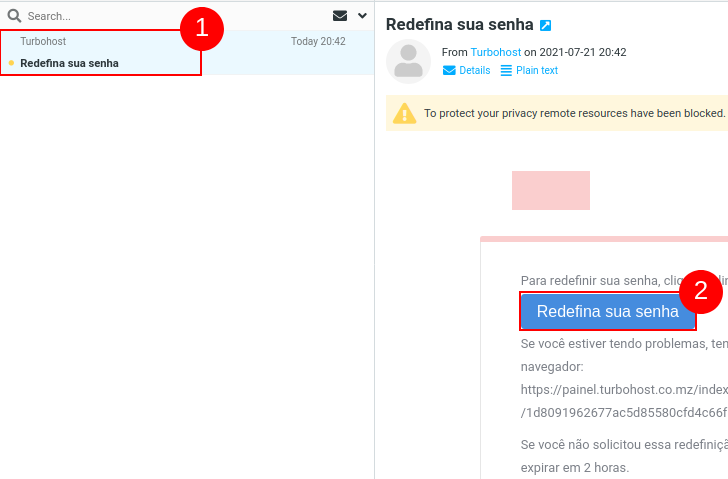
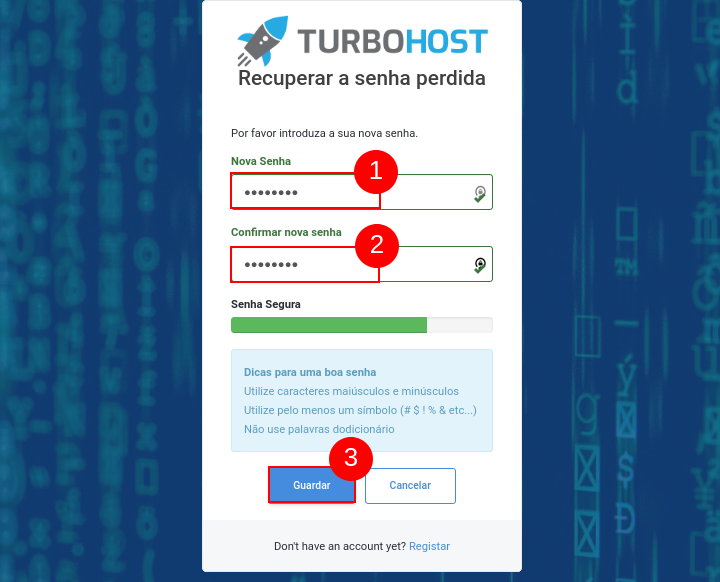
Enter your new password in the form and repeat it in the second field, then click Save.
Your password has been successfully reset. You can now access the customer area again.
You now know how to recover your customer area password.

 Worldwide (English)
 Mozambique (Portuguese)