How to access Error log on my hosting account (Directadmin)
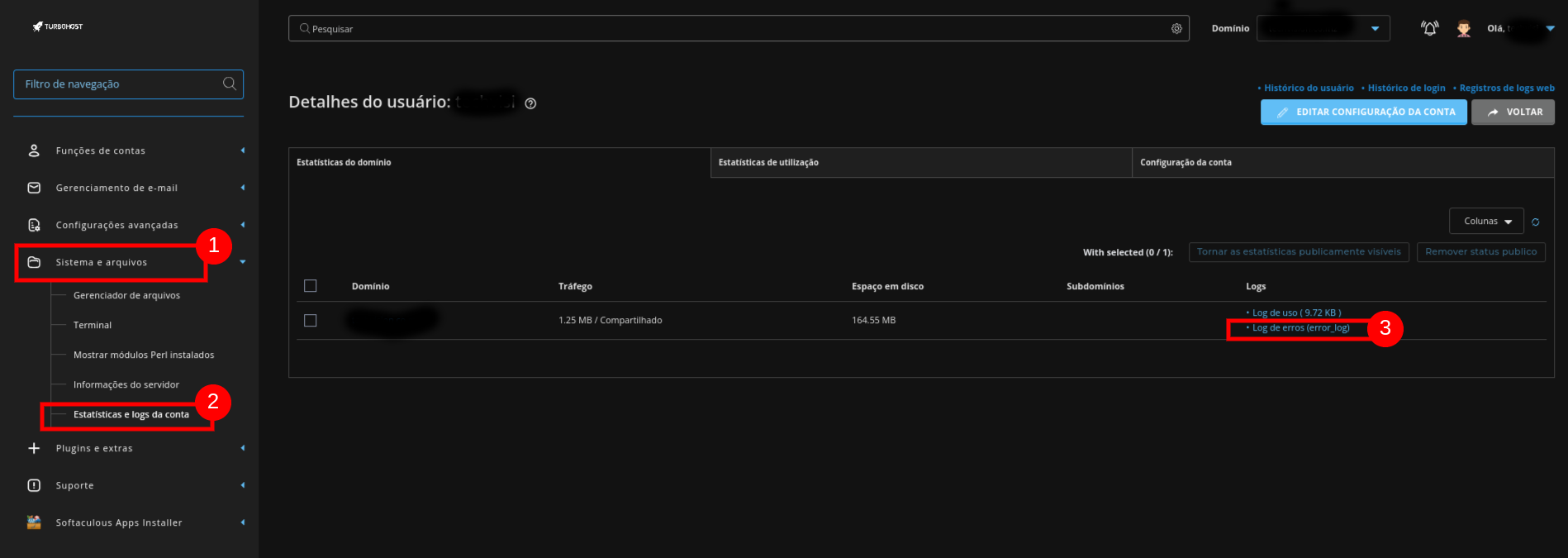
This feature is used to check for errors on our site. Open your dashboard and go to System and files ⇾ Statistics and account logs. Your domain will appear and under Logs there are two types:

 Worldwide (English)
 Mozambique (Portuguese)