In this article we'll show you how to use your custom domain on your blogger/blogspot blog
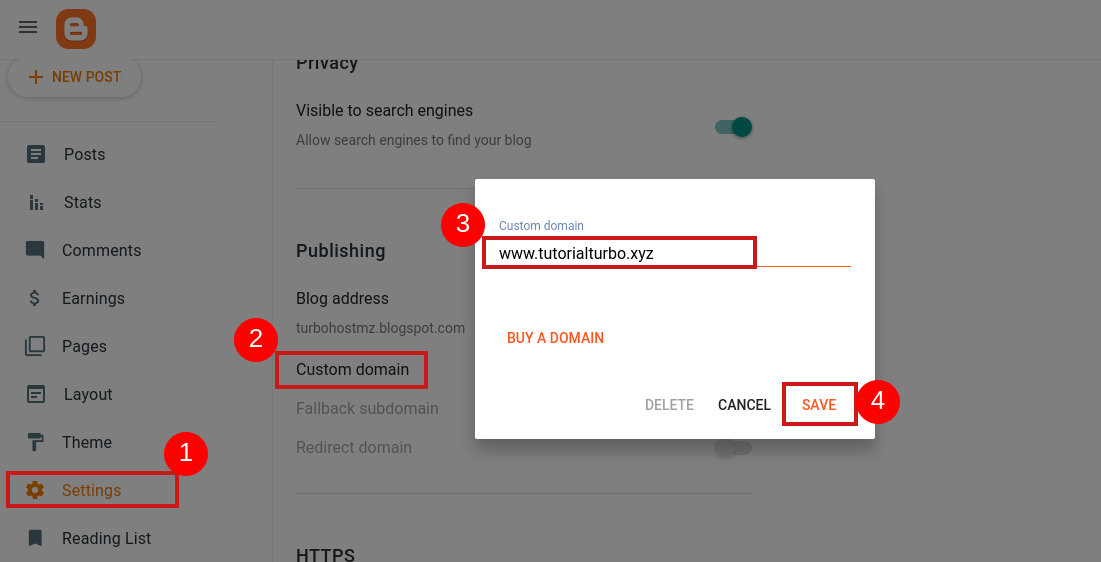
1- Open your site on blogger.com
Click on Settings, then click on Custom domain, add your domain beginning
with a prefix (e.g. www.tutorialturbo.xyz) and click to save
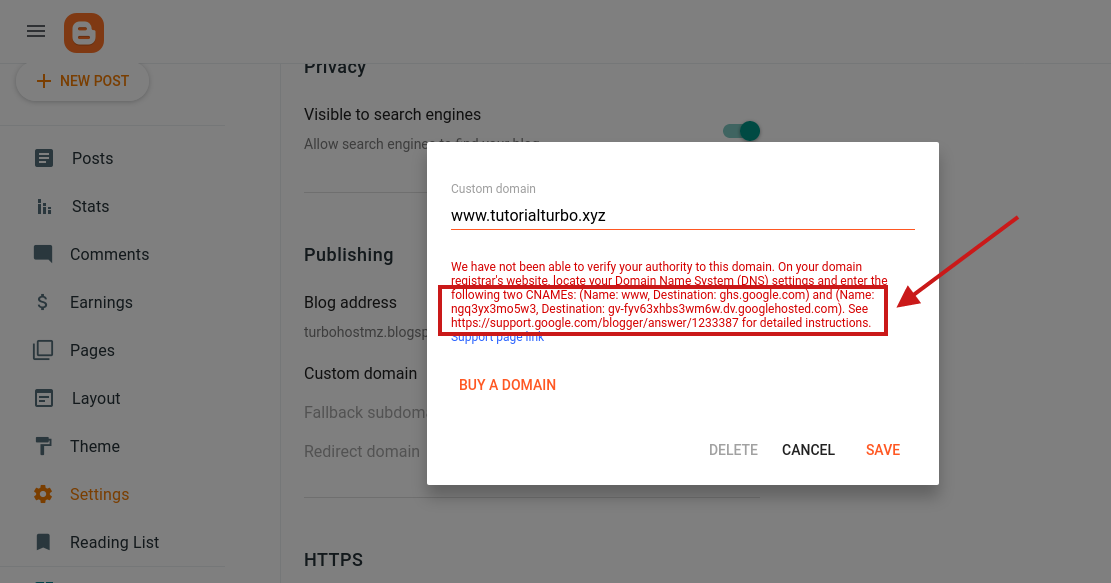
2- Next, you'll see information in red with the CNAME records you need to add to your domain's DNS.
your domain
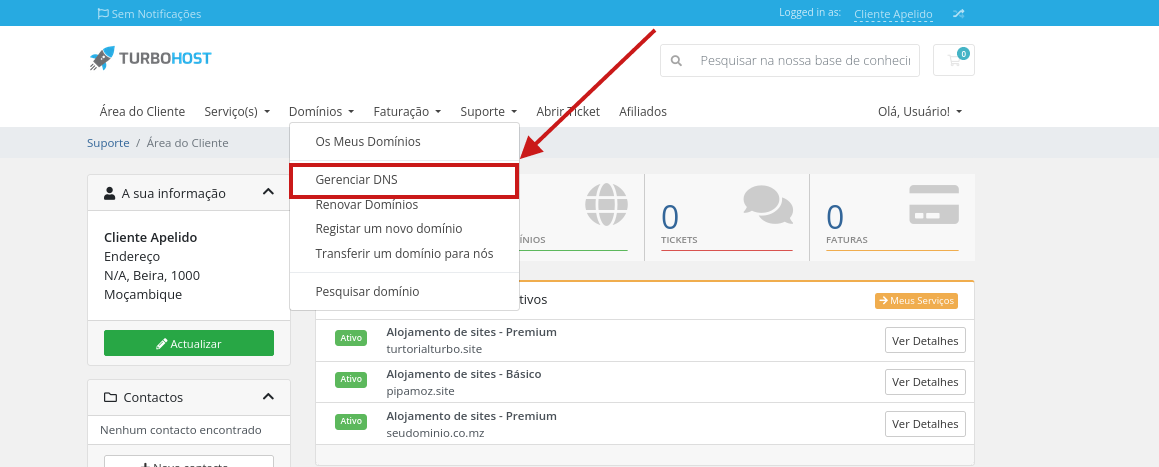
3- Now open your customer panel, select Domains and click on
Manage DNS
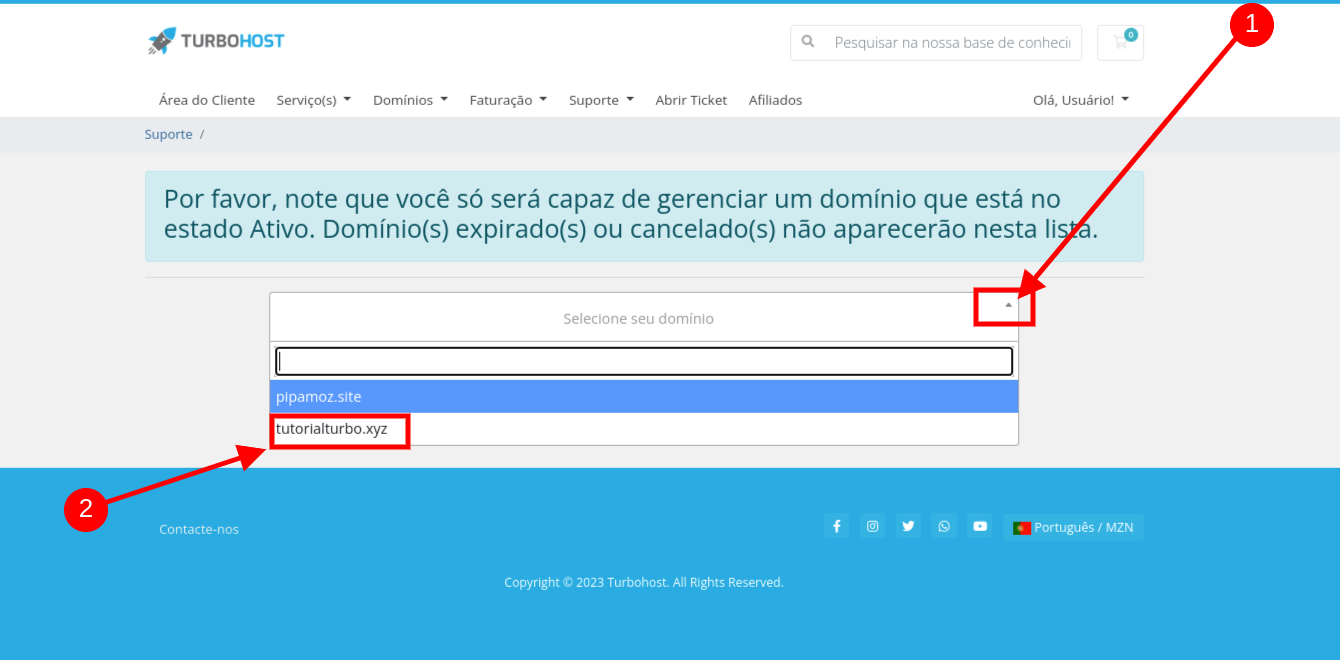
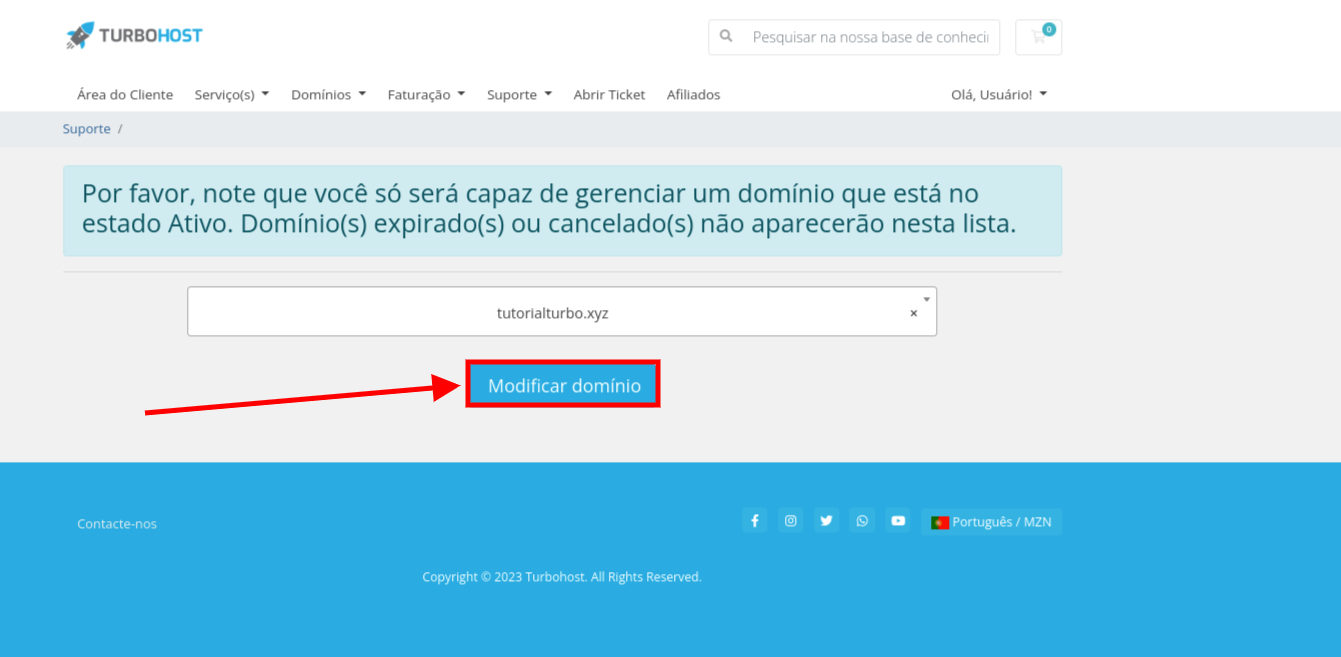
4. click on the icon shown in the image and select the domain, if you have more
than one domain you can see a list of all of them and select the one you want to configure.
5. Click on Modify
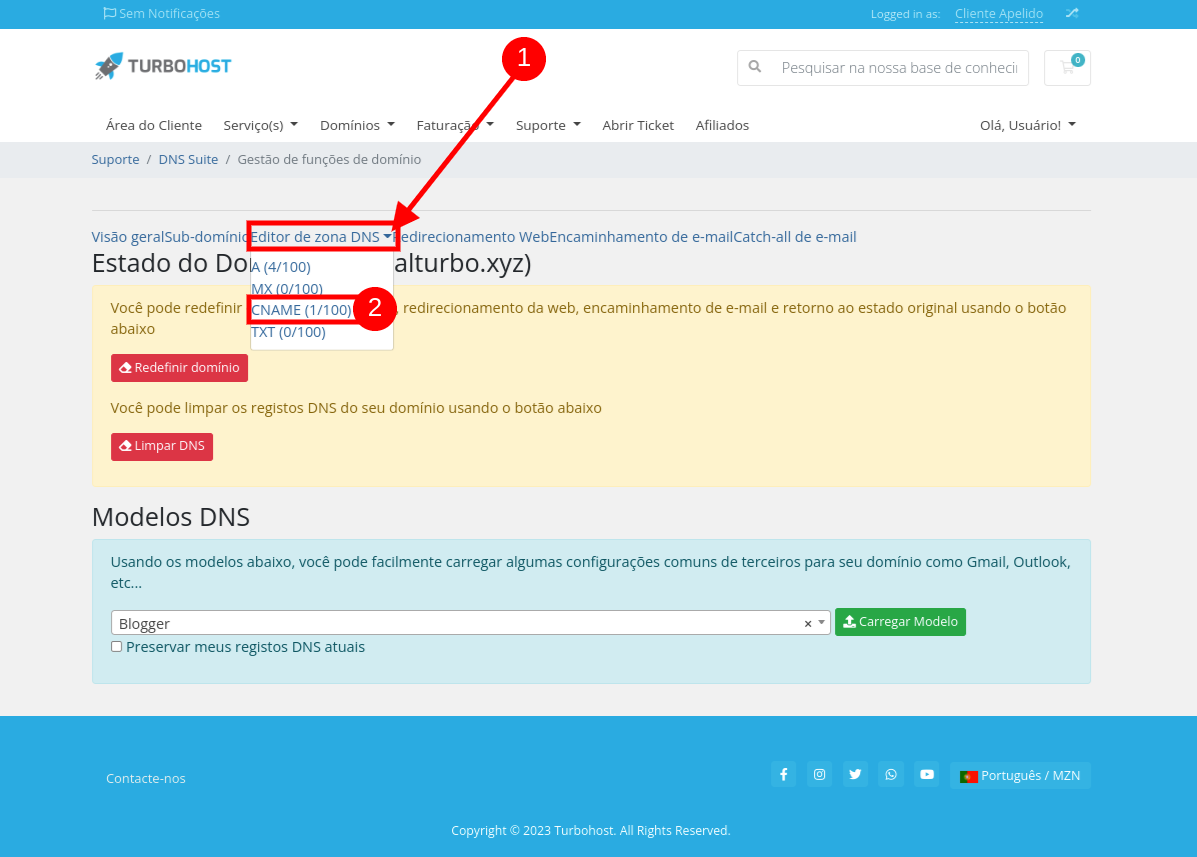
6. Click on DNS zone editor and select CNAME
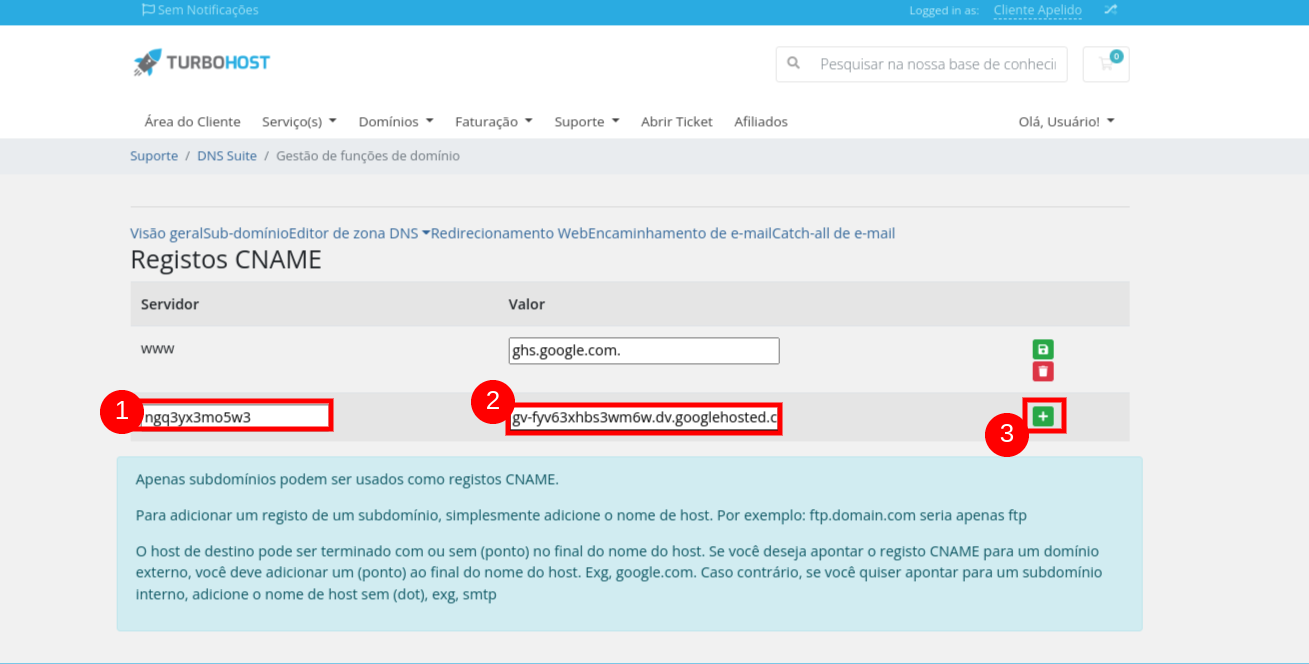
7. The first line comes by default, add the CNAMES and click the add button. Don't forget to put a period at the end
8. Go back to Blogger and add the domain again and you're done!

 Worldwide (English)
 Mozambique (Portuguese)