Follow the steps below to change the quota for an email account in the DirectAdmin panel:
Step 1️⃣
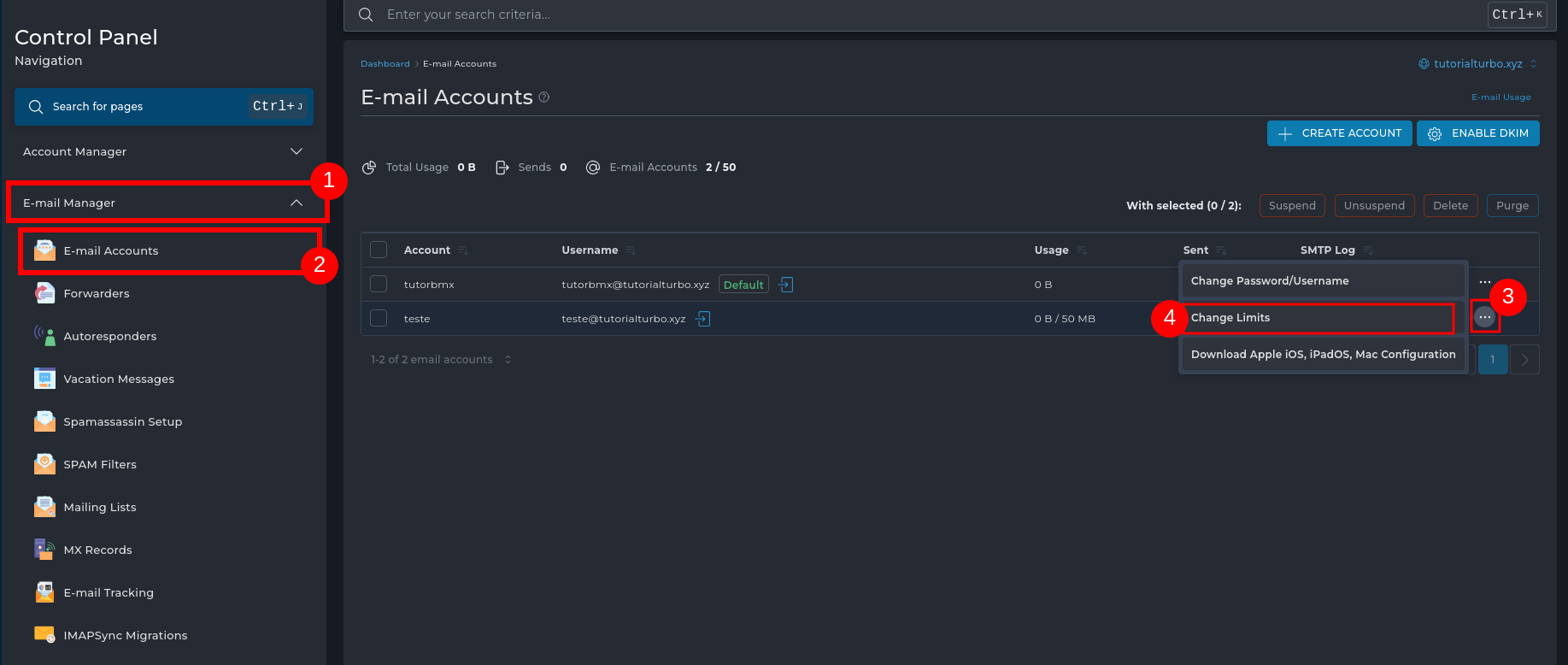
1 - In the left side menu, click on Email Manager
2 - And then on Email Accounts
Find the email account you want to modify.
3 - Click on the three dots (⋮) next to the account
4 - Select the Change Limits option
Step 2️⃣
1- In the Email Quota (MB) field, set the new storage limit for the mailbox
2 -Click SAVE to save the changes.
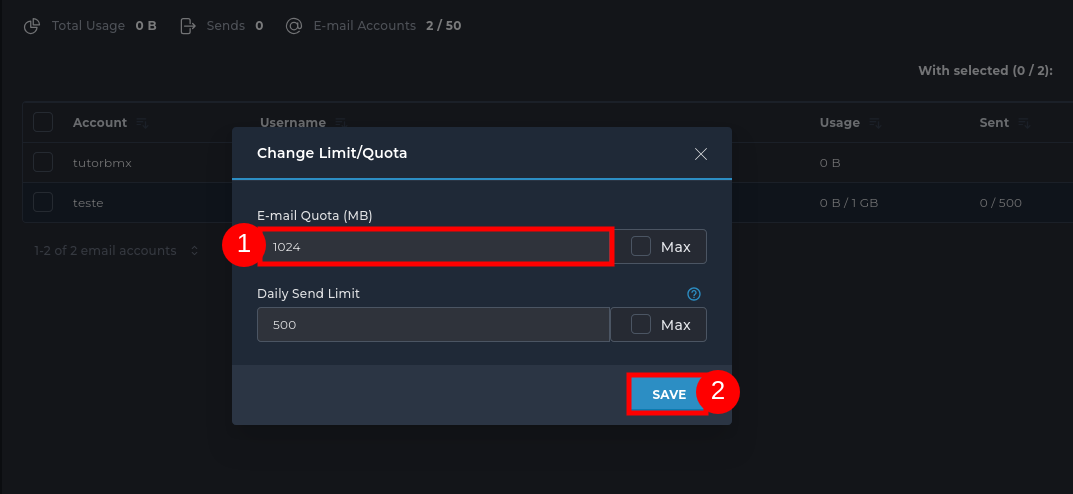
For example: enter 1024 to set 1 GB of space.

 Worldwide (English)
 Mozambique (Portuguese)