This tutorial explains how to change an email account's space limit in DirectAdmin, setting it to use the maximum available.
Access the Email Management area
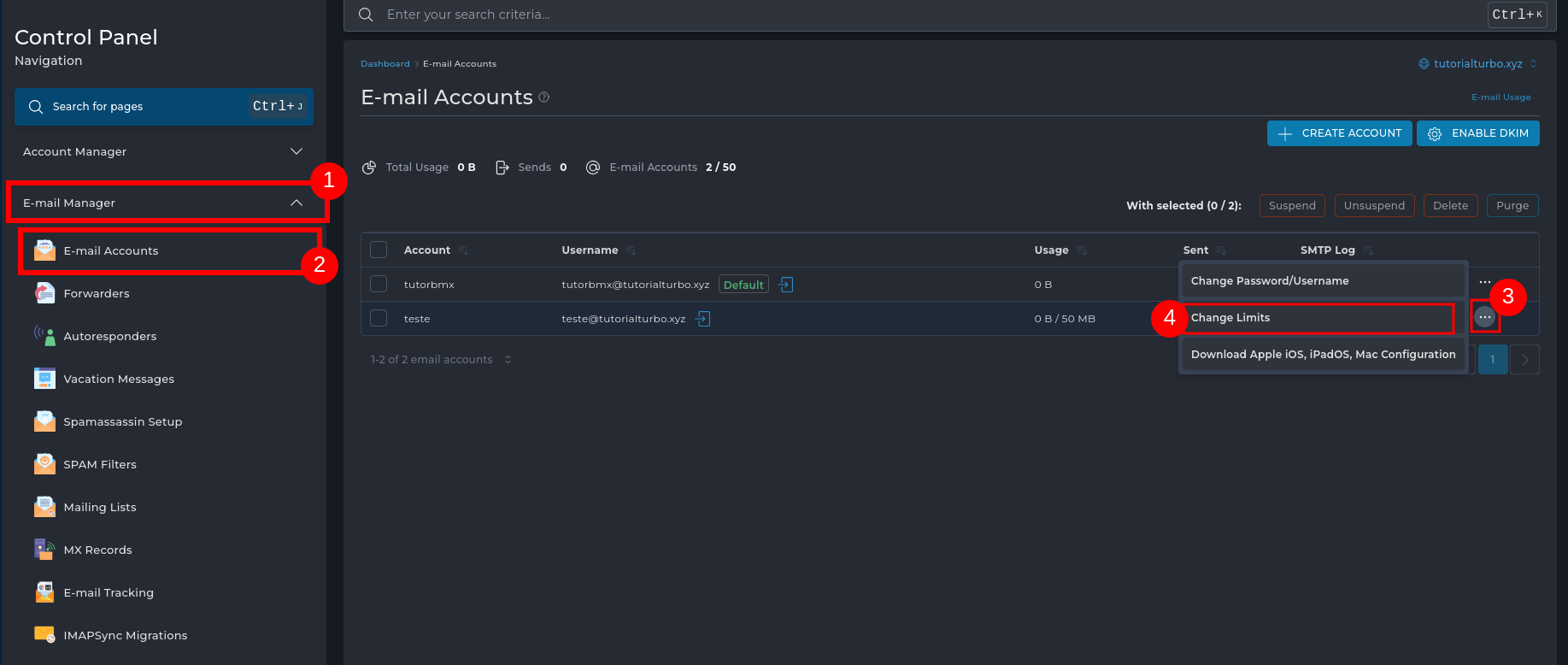
1 - > In the DirectAdmin side menu, click Email Management, then
2 - > Select Email Accounts.
3 - > Locate the desired email account, click the three dots icon next to the account and select
4 - > Click on Change Limits.
3. Set the maximum size
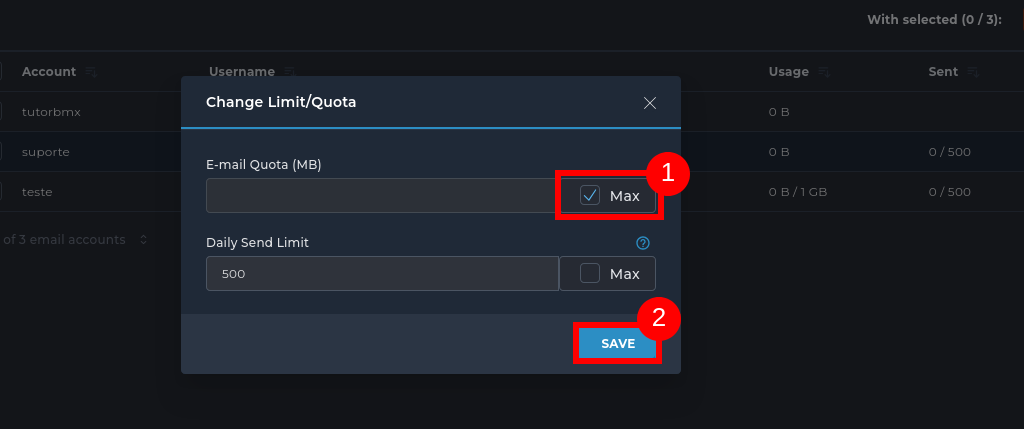
1 - > Check the Maximum box in the Email size (MB) field and
2 - > click Save to apply the change.
Notes:
The maximum quota depends on the total space available in your hosting plan.
Setting it to Maximum allows the account to use all the free space available in the plan.

 Worldwide (English)
 Mozambique (Portuguese)